3CX no DTMF from the agent softphones
In order for 3CX agent externsions to generate DTMF key press tones you need to ensure the User profile in Options has PABX delvieres audio marked active
See example below
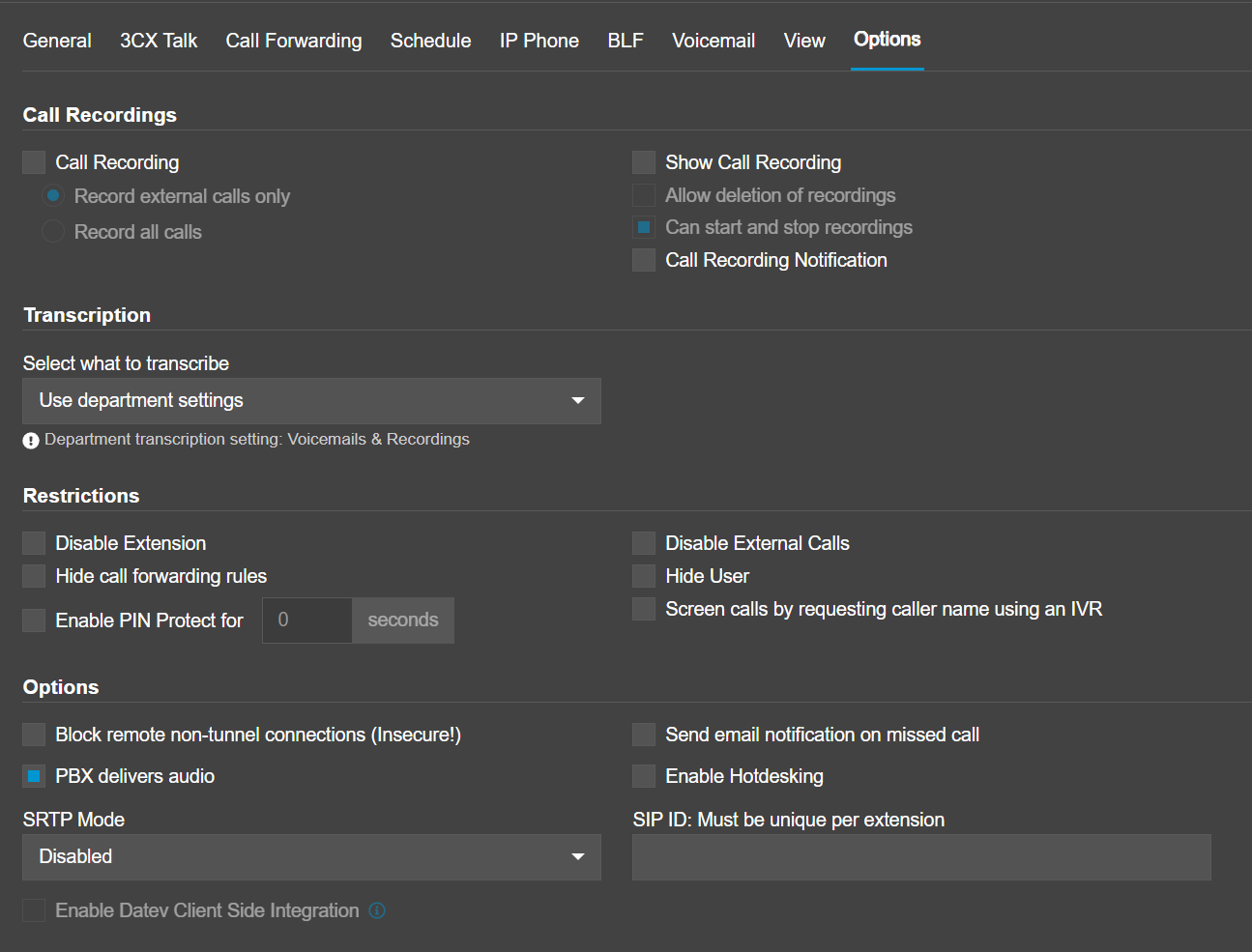
See example below
Related Articles
SIP call settings
How to Navigate and Configure SIP Call Settings on the Paytia Portal The SIP Call Settings feature allows you to manage how inbound and outbound telephone numbers are processed through Paytia. This includes defining CLI (Caller Line Identification) ...How do I make an agent call-return?
This article will show you have to make an "agent call-return" for an user This article outlines call return functions and how to configure them. It covers the following: What is agent call-return? Purchasing additional telephone numbers Assigning ...What is DTMF Suppression?
DTMF Suppression in Paytia Paytia extends DTMF suppression with agent-guided instruction prompts to reduce training overhead and increase the speed of deployment for DTMF suppression-driven payment card capture services. How DTMF Suppression Works ...Default call presentation
Configuring Default Call Presentation The Default Call Presentation settings allow you to manage how your secure payment number is used for incoming and outgoing calls. This ensures that calls are routed correctly, with the appropriate caller ID ...How Paytia’s Telephony Services Enable Secure and Compliant Phone Payments
As a trusted business providing services to customers, securing customer payment details during telephone transactions is critical. Paytia’s secure payment solutions ensure that businesses can process phone payments without ever seeing or hearing ...